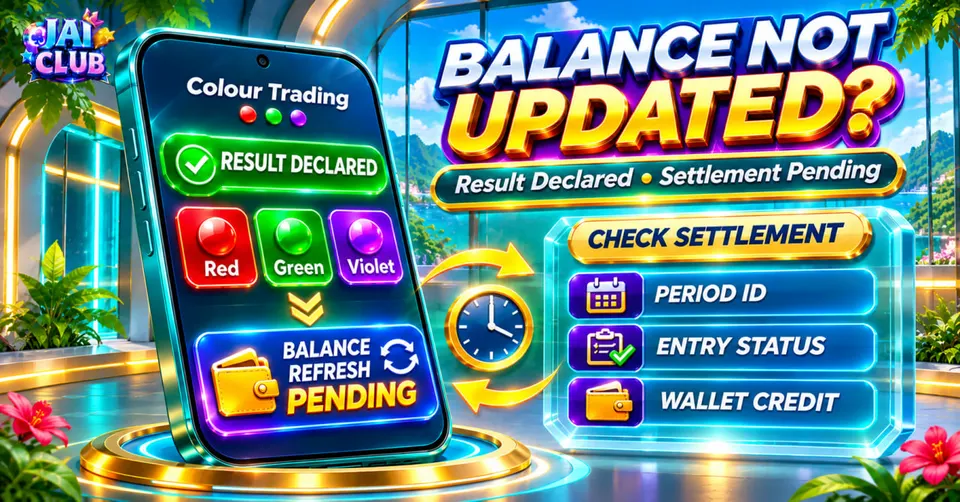
Colour Trading Result Declared but Balance Not Updated? Settlement Checks
Learn why a Colour Trading result may be visible while the account balance remains unchanged. Understand pending settlements, transaction records, wallet reversals and safe troubleshooting.
In this article
- Why Is the Colour Trading Balance Not Updated?
- Result Declared vs Settlement Completed
- Common Balance Update Problems
- Step 1: Identify the Exact Game Period
- Step 2: Confirm That the Entry Was Accepted
- Step 3: Check the Entry Status
- Step 4: Compare Game History With Wallet History
- Step 5: Understand the Difference Between Debit and Credit
- Example: Result Declared and Settlement Credited
- What If the Wallet Still Shows ₹400?
- Step 6: Check Gross Payout and Net Profit
- Step 7: Identify Wallet Reversals
- Example: Cancelled Entry and Reversal
- Step 8: Check for Duplicate Transactions
- Step 9: Understand Wallet Display Refresh
- Step 10: Check Network and Browser Problems
- Why the Result Screen May Update First
- Result Posting Time vs Wallet Posting Time
- What If the Entry Shows Settled but No Credit Appears?
- What Information Should Be Provided to Support?
- What Not to Do During a Settlement Dispute
- Colour Trading Settlement vs Withdrawal
- Can a Delayed Balance Prove the Result Was Changed?
- Frequently Asked Questions
- Why is my Colour Trading balance not updated?
- Does a declared result guarantee a payout?
- What should I check first?
- Is game history the same as wallet history?
- Can a payout appear as a separate credit?
- Is gross payout the same as net profit?
- What is a wallet reversal?
- Does refreshing the page repair missing money?
- Can a result be settled while a wallet record remains unclear?
- Can this website restore a missing settlement?
- Conclusion
- Sources and Editorial Method
A Colour Trading result can appear on the game screen while the related account balance remains unchanged. This does not automatically mean the result has been changed or that money is missing. The result display, individual entry settlement and wallet balance are separate records that may be updated at different stages.
The first step is to check whether an entry was actually accepted for the completed period. Next, compare the recorded result and settlement status with the relevant wallet transaction. A visible winning colour or number alone is not enough to establish that an individual account is entitled to a payout.
This troubleshooting guide explains how to investigate a Colour Trading result that has been declared but does not appear to affect the wallet. It covers transaction IDs, result history, provisional records, wallet reversals and practical ways to describe an unresolved issue without exposing sensitive account information.
The examples are fictional and do not represent verified Jai Club account activity or current payout rates.
Why Is the Colour Trading Balance Not Updated?
There are several possible explanations for a balance that appears unchanged after a result is published.
The result may have been displayed before an account-side settlement was completed. The user may also be comparing the wrong period or viewing a wallet balance that has not refreshed.
In another situation, the accepted entry may not qualify for the expected return under the applicable rules.
A cancellation or adjustment could also create a separate wallet transaction.
The correct explanation depends on the actual account records. The appearance of a result alone cannot identify the cause.
Result Declared vs Settlement Completed
Result declaration means that an outcome has become visible for a particular period.
Settlement concerns how the service evaluates a specific accepted entry against that outcome.
These events are related but not identical.
A public result page might display a completed number and colour while the account's transaction history still shows a pending status.
This difference matters because settlement depends on the entry that was actually accepted, not simply on the colour that appeared.
Common Balance Update Problems
| Symptom | Possible explanation | Relevant record |
|---|---|---|
| Result visible, entry pending | Settlement not finalised | Personal entry history |
| Result visible, no entry shown | Entry may not have been accepted | Order confirmation |
| Entry settled, wallet unchanged | Display or posting issue | Wallet transaction history |
| Wallet debit but no final credit | Settlement, rejection or adjustment | Debit and status records |
| Credit smaller than expected | Payout definition or adjustment differs | Applicable payout rules |
| Balance changes after refresh | Earlier display may have been stale | Updated wallet history |
| Reversal appears separately | Cancelled entry processed in stages | Debit and reversal records |
This table explains possible situations rather than confirmed error messages used by a particular platform.
Step 1: Identify the Exact Game Period
A period ID identifies the round being checked.
This is important because Colour Trading interfaces may advance to the next period while the previous result is still being processed or displayed elsewhere.
For example, the current timer may belong to period DEMO-205 while the latest completed result belongs to DEMO-204.
Comparing the current period's interface with the previous period's personal entry can create confusion.
The first useful check is therefore to record the full completed period ID and confirm that every relevant record refers to that same period.
Step 2: Confirm That the Entry Was Accepted
Selecting a colour or entering an amount does not independently prove that an entry was accepted.
A transaction normally needs to satisfy the service's submission and validation rules.
If the entry was rejected before acceptance, the public result cannot create a payout entitlement for that unsuccessful request.
A useful account review therefore looks for the accepted entry, its selected outcome and any associated transaction reference.
If the history shows no accepted entry, that is a different problem from a completed entry whose settlement is missing.
Step 3: Check the Entry Status
Many digital transaction systems use status labels to distinguish processing stages.
The exact words vary by operator, but several general concepts are useful.
| Status | General interpretation |
|---|---|
| Submitted | Request was entered |
| Accepted | Entry recorded |
| Pending | Final processing not yet displayed |
| Settled | Result and entry have a final recorded status |
| Rejected | Request did not satisfy acceptance conditions |
| Cancelled | Entry was stopped under applicable rules |
| Refunded | Amount returned according to the service's rules |
A pending entry should not be treated as a completed payout.
Similarly, a cancelled entry should not automatically be treated as a losing entry.
The operator's actual status definitions determine the correct interpretation.
Step 4: Compare Game History With Wallet History
Game history records game-related information, including periods and completed outcomes.
Wallet history records account balance movements, such as debits, credits and adjustments.
The two histories may contain different numbers of rows because one accepted entry can be associated with more than one financial transaction.
For example, a stake debit may be recorded separately from a later payout credit.
For an explanation of what each record means, see our Colour Trading Bet Slip guide.
That guide also distinguishes gross payout from net profit, which is important when checking a balance change.
Step 5: Understand the Difference Between Debit and Credit
A debit is a recorded reduction in the account balance.
A credit is an amount added to the balance.
An accepted entry may be associated with a debit, while a qualifying settlement may produce a credit under the relevant rules.
This can make the wallet history appear more complicated than one simple result entry.
For example, a ₹100 debit and a ₹195 gross-return credit produce a net increase of ₹95, assuming no other transactions occurred.
Looking only at the ₹195 credit would overstate the profit because the original ₹100 debit must also be considered.
Example: Result Declared and Settlement Credited
Consider a fictional account with a starting balance of ₹500.
Assume the user has one accepted ₹100 entry.
The wallet records a debit, reducing the balance to ₹400.
Later, the hypothetical accepted result qualifies for a gross return of ₹195.
The wallet records a ₹195 credit.
| Event | Wallet movement | Balance |
|---|---|---|
| Opening balance | — | ₹500 |
| Entry accepted | -₹100 | ₹400 |
| Result declared | No separate movement | ₹400 |
| Eligible settlement credited | +₹195 | ₹595 |
The final balance is ₹595.
The net profit is ₹95, calculated as ₹595 minus the initial ₹500.
All amounts and settlement conditions are fictional. They explain accounting rather than current Jai Club payout rates.
What If the Wallet Still Shows ₹400?
In the fictional example, a balance of ₹400 after the public result appears means that the expected illustrative settlement credit has not yet been reflected in the displayed balance.
However, the cause remains unknown.
The entry may still be pending, the balance display may be stale or another account condition may apply.
A useful check is whether the personal entry is marked Settled and whether a corresponding credit appears in wallet history.
If neither record shows a completed credit, the public result alone does not confirm that a financial posting occurred.
Step 6: Check Gross Payout and Net Profit
Gross payout and net profit are different values.
A gross payout generally describes the total amount returned under a stake-inclusive multiplier.
Net profit describes the amount remaining after subtracting the original stake.
For example, a fictional ₹200 entry with a gross return of ₹390 produces ₹190 net profit.
The account balance would ordinarily reflect both the original debit and the later credit if they are recorded separately.
A complaint about a missing ₹390 profit would therefore be mathematically incorrect under this particular illustration.
The current operator's payout definition must be checked before calculating any real settlement.
Step 7: Identify Wallet Reversals
A reversal is an adjustment that offsets a previous transaction.
For example, a service might debit an amount when an entry is submitted and later return that amount if the entry is cancelled under its rules.
The cancellation and reversal may appear at different times in the account records.
This creates a situation where a cancelled entry is visible in game history but its wallet correction appears separately.
A reversal is not necessarily a normal winning payout.
The purpose of the credit matters when interpreting the final balance.
Example: Cancelled Entry and Reversal
Consider a fictional account beginning with ₹800.
An entry debit of ₹150 reduces the balance to ₹650.
The request is subsequently cancelled.
A ₹150 reversal returns the balance to ₹800.
| Event | Debit | Credit | Balance |
|---|---|---|---|
| Opening | — | — | ₹800 |
| Entry recorded | ₹150 | — | ₹650 |
| Cancellation status | — | — | ₹650 |
| Reversal posted | — | ₹150 | ₹800 |
This is not the same as a qualifying winning settlement.
The cancellation and reversal simply offset the original transaction in this example.
Actual cancellation and refund conditions depend on the service.
Step 8: Check for Duplicate Transactions
Two similar wallet entries do not automatically mean the same amount was charged twice.
The account may contain separate processing events associated with one game entry.
For example, one row could represent the original debit and another could represent a reversal or settlement.
The transaction reference, amount and posting type should be compared.
If two entries both appear to be debits, the record should be checked for any matching reversal before drawing a conclusion.
A duplicate-looking row and an actual duplicate financial charge are different issues.
Step 9: Understand Wallet Display Refresh
An application may display a cached balance while its transaction history or other interface components have already updated.
A normal reload can sometimes reveal more recent information.
However, refreshing repeatedly does not create a missing settlement and should not be treated as a financial correction.
A display problem is more likely when the wallet history already contains the expected transaction but the headline balance still shows an older value.
That remains a possible explanation, not a confirmed diagnosis.
A persistent mismatch should be reviewed through the service's verified support channel.
Step 10: Check Network and Browser Problems
A poor network connection can interfere with loading updated wallet information.
Different tabs or devices may also display slightly different information if they were refreshed at different times.
The first useful comparison is between the same verified service, same account and same transaction record.
Do not compare a Jai Club-related account against an unrelated website that happens to display similar branding.
Our Colour Trading guide explains why game results and account information should be checked through verified sources rather than unofficial prediction pages.
Why the Result Screen May Update First
A public result panel and a personal wallet panel may be handled by different parts of a service.
The public panel displays a completed game outcome.
The account panel must reflect the accepted entry and any applicable financial adjustments.
The two events can therefore have different visible timestamps.
This does not establish that every platform operates through the same backend design.
It simply explains why publication and account posting should not automatically be treated as one event.
Result Posting Time vs Wallet Posting Time
A result timestamp may describe when an outcome became visible.
A wallet timestamp may describe when a transaction was recorded or posted.
These timestamps can differ even when they relate to the same game period.
A time-zone difference can create additional confusion.
For example, a timestamp recorded at 12:00 UTC corresponds to 17:30 Indian Standard Time.
However, the actual service's time-zone convention must be known before applying a conversion.
What If the Entry Shows Settled but No Credit Appears?
This situation deserves a more focused review because the personal entry record indicates a final status while the expected financial record is not visible.
The relevant questions include whether the entry qualified for a positive return, whether the payout was stake-inclusive and whether a credit or adjustment is already present under another transaction reference.
If those details do not resolve the discrepancy, a verified support channel is appropriate.
An independent informational website cannot inspect the operator's private ledger or confirm that a particular amount is owed.
What Information Should Be Provided to Support?
A useful description should identify the game period, transaction reference, selected outcome and amount.
It should also explain which record is visible and which one appears incomplete.
For example, "Period DEMO-205 is marked settled, but I cannot find the corresponding wallet credit" is more precise than "My winnings disappeared."
The user should avoid sharing passwords, OTPs, recovery codes or unnecessary personal information.
A support contact should be verified before any account details are shared.
What Not to Do During a Settlement Dispute
Do not assume that an unofficial prediction bot or third-party wallet application can repair missing settlement records.
A tool showing the same result number is not equivalent to an authenticated transaction ledger.
Avoid installing unknown APKs that promise to release pending payments.
Do not submit additional transactions merely to test whether the wallet begins updating.
These actions can introduce more account activity without clarifying the original issue.
Colour Trading Settlement vs Withdrawal
Game settlement and wallet withdrawal are different processes.
A game settlement concerns the account-side result of a completed entry.
A withdrawal concerns transferring available funds through a payment process.
An account may show a completed settlement while a separate withdrawal remains pending.
A missing game credit should therefore not automatically be diagnosed as a bank-transfer problem.
The relevant transaction type determines which records should be reviewed.
Can a Delayed Balance Prove the Result Was Changed?
No.
A difference between the result display and wallet balance is not sufficient evidence that the authoritative game result was altered.
Possible explanations include delayed processing, an unaccepted entry, a display issue or a genuine account discrepancy requiring further investigation.
To understand the distinction between an on-screen result and an authoritative record, see Can Colour Trading Results Be Changed?.
The category contains guides discussing result interpretation, account problems and misleading technical claims.
Frequently Asked Questions
Why is my Colour Trading balance not updated?
Possible causes include pending settlement, an unaccepted entry, wallet display delay or another account-side condition.
Does a declared result guarantee a payout?
No. The entry must have been accepted and must qualify under the relevant settlement rules.
What should I check first?
Check the exact period ID and the personal entry status.
Is game history the same as wallet history?
No. One describes game events, while the other records account balance movements.
Can a payout appear as a separate credit?
Yes. A stake debit and eligible settlement credit may be recorded separately.
Is gross payout the same as net profit?
No. Under a stake-inclusive return, net profit equals gross payout minus stake.
What is a wallet reversal?
It is a financial adjustment that offsets an earlier transaction.
Does refreshing the page repair missing money?
No. Refreshing may update the display but does not independently create a settlement.
Can a result be settled while a wallet record remains unclear?
An interface can display different processing stages. The actual records must be compared.
Can this website restore a missing settlement?
No. jaiclub-game.com is an independent information website and cannot access operator account records.
Conclusion
A Colour Trading result being declared does not automatically mean every related account transaction has finished processing.
The correct review begins with the accepted entry, completed period and settlement status. These should then be compared with wallet debits, credits and any reversals.
Using fictional arithmetic examples makes it easier to understand why the net balance change may differ from a displayed gross payout.
This guide explains common transaction concepts without claiming access to private Jai Club accounts or guaranteeing that a specific balance discrepancy can be resolved through one action.
Sources and Editorial Method
The article distinguishes completed game results from personal entry records and account wallet transactions.
All rupee values, period identifiers and settlement examples are fictional.
Exact stake limits, payment processing rules, payout ratios and financial entitlements must be checked against the relevant operator's authenticated records and current terms.
Related reading: Colour Trading Bet Slip, Confirm Button Disabled and the Colour Trading guide collection.