WinGo Entry Button Disabled Before the Timer Ends: Understanding Round Cut-Offs
Understand why a WinGo entry button may become unavailable before the displayed countdown reaches zero. Learn the difference between selection windows, countdown updates, and confirmed entries.
In this article
- Understanding the WinGo Round Timer
- Why the Entry Button May Become Grey
- Example: When the Timer and Button Differ
- Network Delay and WinGo Entry Confirmation
- Selection, Submission and Acceptance
- What to Check When the Button Stops Working
- Should You Refresh the Page?
- Can a Disabled Button Predict the WinGo Result?
- Frequently Asked Questions
- Why is my WinGo button grey before the timer reaches zero?
- Does selecting a colour mean my entry was accepted?
- Can I submit after the timer reaches zero?
- Will refreshing the page reactivate the previous round?
- Why does the button work during one round but not another?
- Can the countdown be used for WinGo prediction?
- Conclusion
A WinGo game screen may display a countdown timer, number selections, colour buttons and an entry confirmation control. Sometimes, users notice that the confirmation button becomes grey or stops responding even though a few seconds remain on the countdown.
This situation can be confusing because the timer appears to suggest that the round is still active. However, a visible countdown and the period during which entries are accepted are not necessarily identical.
Quick answer: A disabled WinGo entry button may indicate that the acceptance window has closed, a required field is incomplete, or the interface is waiting for a network response. The displayed countdown alone cannot establish whether a new entry is still permitted.
This guide explains possible reasons, how to distinguish interface problems from round transitions, and what information is useful when checking an entry.
Understanding the WinGo Round Timer
A WinGo timer generally represents a countdown associated with a specific game period. The interface may also display a period identifier, colour selections and numbers from 0 to 9.
However, a countdown does not necessarily represent the exact duration during which new submissions are accepted.
Some timed applications separate the main round into different operational stages. These may include an active selection stage, a submission-closing stage, result processing and the transition to a new period.
Whether a particular Jai Club WinGo implementation uses these stages must be established from its own published rules or verified behaviour.
A remaining countdown of several seconds should therefore not be treated as proof that a selection can still be submitted.
Why the Entry Button May Become Grey
A grey confirmation button usually indicates that the interface currently considers the control unavailable.
There are several possible explanations.
The application may no longer be accepting entries for the current period. Alternatively, a required amount or selection may not have been completed.
The software may also be waiting for a previous request to finish processing. During that time, the button could remain disabled to prevent repeated actions.
Another possibility is that the page has temporarily lost communication with the service.
These explanations describe common software behaviours. They do not establish the specific cause without examining the actual interface state and relevant records.
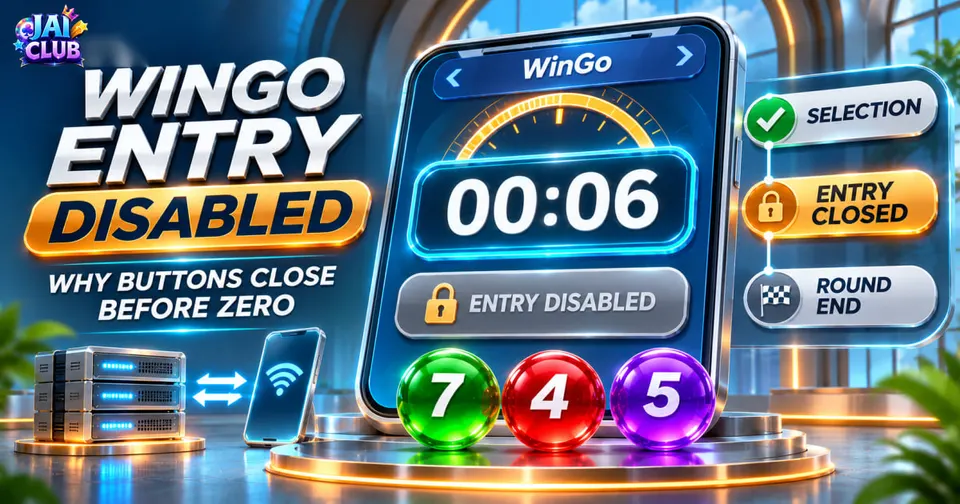
Example: When the Timer and Button Differ
Consider a fictional WinGo round with the identifier DEMO-W204.
At 00:12, the screen displays an active selection panel.
At 00:06, the confirmation button becomes unavailable, although the countdown continues.
At 00:00, the interface transitions to the next period.
This example could represent a system that stops accepting entries before the visible round finishes.
However, the same sequence might also occur because of a temporary connection problem or a page state that failed to update.
The important lesson is that a screenshot of the countdown alone is not sufficient to determine what happened.
The example is illustrative and is not a verified Jai Club timing rule.
Network Delay and WinGo Entry Confirmation
Timed web applications depend on communication between a user's device and a receiving service.
The countdown may update on the phone while a separate system determines whether a submitted request meets its acceptance conditions.
This difference can become noticeable when the internet connection is unstable.
For example, a user might press a button while the display shows three seconds remaining. The request still needs to be transmitted and processed.
If the authorised window has already closed when the request is received, the service may reject the submission.
This is why the visible timer should not be treated as an independent guarantee of acceptance.
A faster connection can reduce certain delays, but it cannot extend an authorised entry window.
Selection, Submission and Acceptance
These three concepts are different.
Selection describes an option highlighted or chosen on the screen.
Submission describes an attempt to send that selection.
Acceptance means the receiving system has recorded the request according to its applicable rules.
For example, selecting Green may highlight the appropriate button. That does not automatically mean the Green entry was accepted for the current period.
Likewise, a loading spinner can indicate that a request is being processed, but it is not proof of successful acceptance.
Where the game provides entry history or confirmation information, that record is more useful than relying only on visual highlights.
What to Check When the Button Stops Working
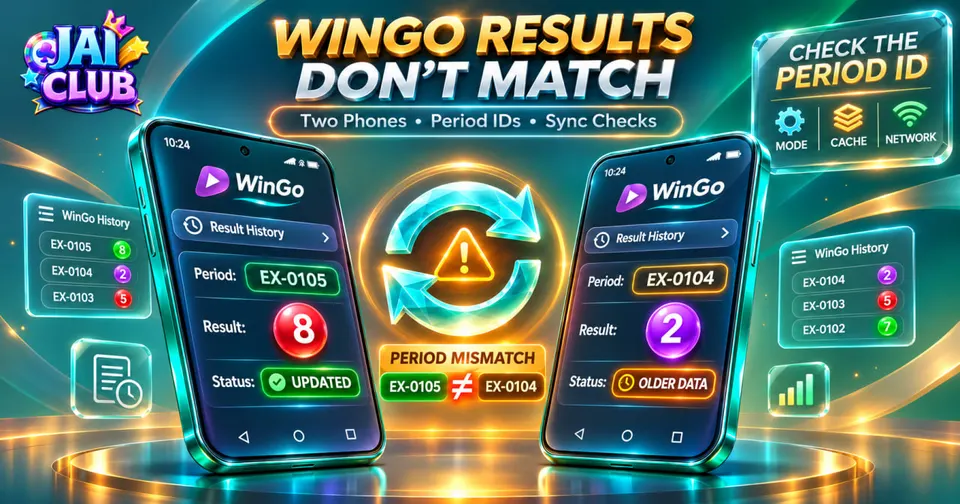
First, look at the current period identifier. If the identifier is changing, the game may be transitioning between rounds.
Next, confirm that all required fields are complete. An entry control may remain inactive if the selection or amount is invalid.
If the button remains unavailable during a new eligible period, examine whether other interface components are updating normally.
A frozen countdown, permanent loading indicator or missing page content may indicate a broader display or connection problem.
You can also check whether other trusted websites load normally to help distinguish general internet problems from a particular game page failure.
Avoid repeatedly pressing the same control while a previous request has an uncertain status.
Where available, inspect the entry record before attempting another financial action.
Should You Refresh the Page?
Refreshing may reload page resources and restore an interface that has stopped responding.
However, refreshing does not change the authorised closing time of a game period.
It may also clear unsaved selections or interrupt the display of a pending confirmation.
Before reloading, record the period identifier and any visible submission status.
If the provider supplies an entry-history feature, checking that information first can help prevent confusion about whether a previous action was accepted.
A browser refresh is a technical troubleshooting step, not a way to reopen a closed submission window.
Can a Disabled Button Predict the WinGo Result?
No. A disabled entry button describes an interface or submission state, not a future outcome.
The button becoming unavailable does not provide evidence about the next winning number, colour or odd-even result.
Historical results, countdown behaviour and interface transitions cannot reliably guarantee the outcome of a future random round.
Frequently Asked Questions
Why is my WinGo button grey before the timer reaches zero?
Possible causes include a closed entry window, an incomplete form, an ongoing request or a temporary network problem. The exact reason depends on the implementation.
Does selecting a colour mean my entry was accepted?
No. A highlighted colour indicates a visual selection. Acceptance requires an appropriate confirmation or record.
Can I submit after the timer reaches zero?
Do not assume that a completed period permits further submissions. The applicable rules determine when entries are accepted.
Will refreshing the page reactivate the previous round?
No. Refreshing cannot change the authorised closing time of a completed period.
Why does the button work during one round but not another?
The interface may be in a different operational state. Form validation, transitions and connectivity can also affect availability.
Can the countdown be used for WinGo prediction?
No. A countdown describes timing information and does not reliably reveal future random results.
Conclusion
A disabled WinGo entry button does not automatically indicate a broken game or an account problem.
The most useful approach is to distinguish the visible countdown from the entry acceptance window and compare the period identifier, button state and available confirmation records.
Understanding these details helps users interpret the interface without making unsupported assumptions.
Disclaimer: This article is an independent technical guide. All example periods and timing sequences are fictional. No private Jai Club server logs or live round records were examined. Nothing in this guide guarantees entry acceptance or future results.